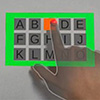
Researchers developed an AR/MR typing method that turns any surface into a keyboard by using headset cameras and AI to detect fingertip blanching when pressing down, requiring no extra hardware.
(Nanowerk News) Augmented reality (AR) and mixed reality (MR) headsets let us see the world around us with virtual elements superimposed on top. For example, many modern AR/MR headsets use hand-tracking cameras to detect hand gestures in the air, which allows users to type on a virtual keyboard that appears to be floating in front of the user.
As exciting as this sounds initially, the approach often needs handheld controllers, and keeping your hands in the air for a long time can cause arm fatigue. These air gestures also lack physical feedback, which can make interaction less comfortable.
Searching for an innovative way to make typing more comfortable while using AR/MR technology, researchers at Tohoku University found a method that transforms regular surfaces into keyboards – no extra equipment required.
The key to this innovation is a natural reaction our body has when we apply pressure to our fingertips. If you try pressing down on a hard surface like a desk, you will notice a flush of white. This color change is called the blanching phenomenon. By analyzing images from the headset camera with an AI model, the system can detect when a fingertip touches a surface.
“This research means that ordinary surfaces all around us – walls, desks, or partitions – can be used as a touch input area,” said Guanghan Zhao, who led the study. “Moreover, this method doesn’t require special sensors, markers, or additional devices. Anyone can use it easily.
To make this vision a reality, the research team trained an AI model to reliably recognize the blanching phenomenon in fingertip images captured by a standard camera on the headset. In addition, a supporting interaction system was developed to provide easy-to-access user experience.
Fingertip blanching occurs when a finger presses against a hard surface (the blanching phenomenon). (Image: Tohoku University)
User studies showed that the system reliably detected fingertip contact across several common surface materials. Participants were able to perform interaction tasks with stable input accuracy. The surface-supported interaction also allowed users to rest their fingers on the surface during operation.
“Our primary objective was to develop a technology that allows touch input on everyday physical surfaces for AR and MR without the need for special hardware, making these devices easier to use and promoting the wider adoption of AR and MR technologies for everyday use,” said Guanghan.
Example use of the technique: a wall is used as a touch input surface to interact with a virtual interface. (Image: Tohoku University)
The findings were presented at the 33rd IEEE Conference on Virtual Reality and 3D User Interfaces, held in South Korea from March 21 – 25, 2026. The paper (“BlanchTouch: Bringing Fingertip Blanch Detection into Mixed Reality for Touch Input on Flat Surfaces”) has also been accepted for future publication in IEEE Computer Society Digital Library.